Casement
A Dynamic Island for the MacBook notch. Approve your coding agent's permission requests without leaving your editor, mirror your iPhone's Live Activities, and keep Now Playing, meetings and a shelf in the one piece of screen you were ignoring.
What it does
seven thingsCoding agents
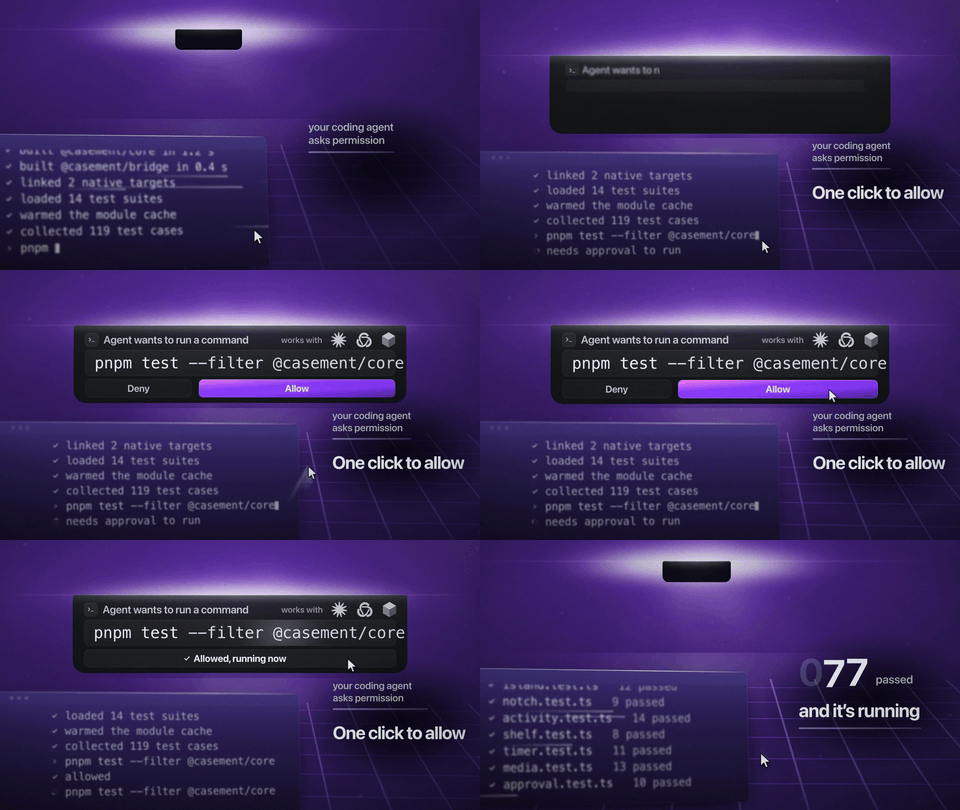
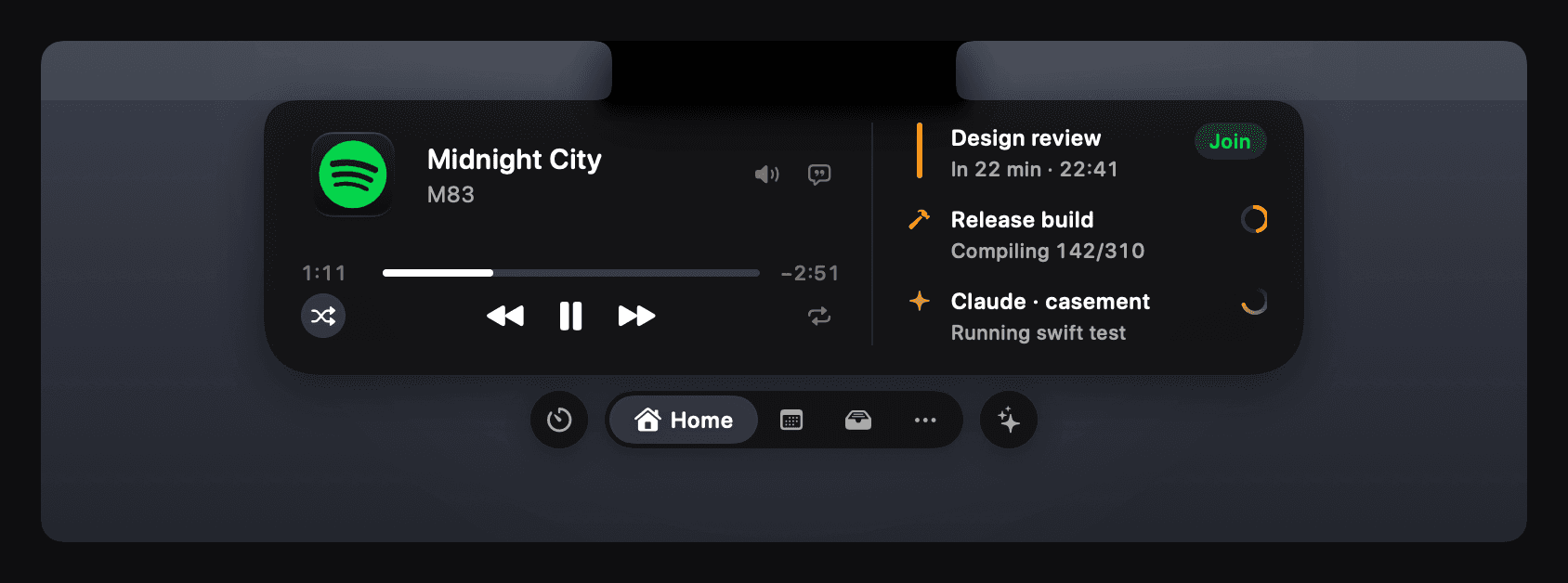
Watch Claude Code, Codex and Cursor work, answer their permission requests from the notch, and keep an eye on usage limits. The card opens where you are already looking, so approving a command costs nothing and you never leave the editor.
Your iPhone's Live Activities
Rides, deliveries, scores and flights in the notch instead of behind it, with 137 apps' own looks. How much shows depends on what each app exposes to Accessibility, and where that is too little Casement leaves Apple's own pill alone rather than covering it with less. Mirroring needs macOS 26 or later, and has only been tested on macOS 27.
Now Playing
From any app, browsers included, with synced lyrics, a scrubber that seeks and an output picker. Small app icons switch between whatever is playing.
Meetings, timers and reminders
A meeting counts down beside the notch and waits with a Join button until you join it.
A shelf, clipboard history and downloads
Drop files on the notch, AirDrop one in a click, and find the link you copied an hour ago.
Eleven tools, each off until you want it
To-dos, a note, a converter, emoji, the weather, a camera mirror, a teleprompter, stocks, sales, Shortcuts and a system readout, each a page under More.
Your own activities
From a script, the command line, a local HTTP API, the casement:// scheme or an iPhone Shortcut. Anything that can make a request can put something in the notch.
How it stays out of the way
restraintIt lives in the menu bar row
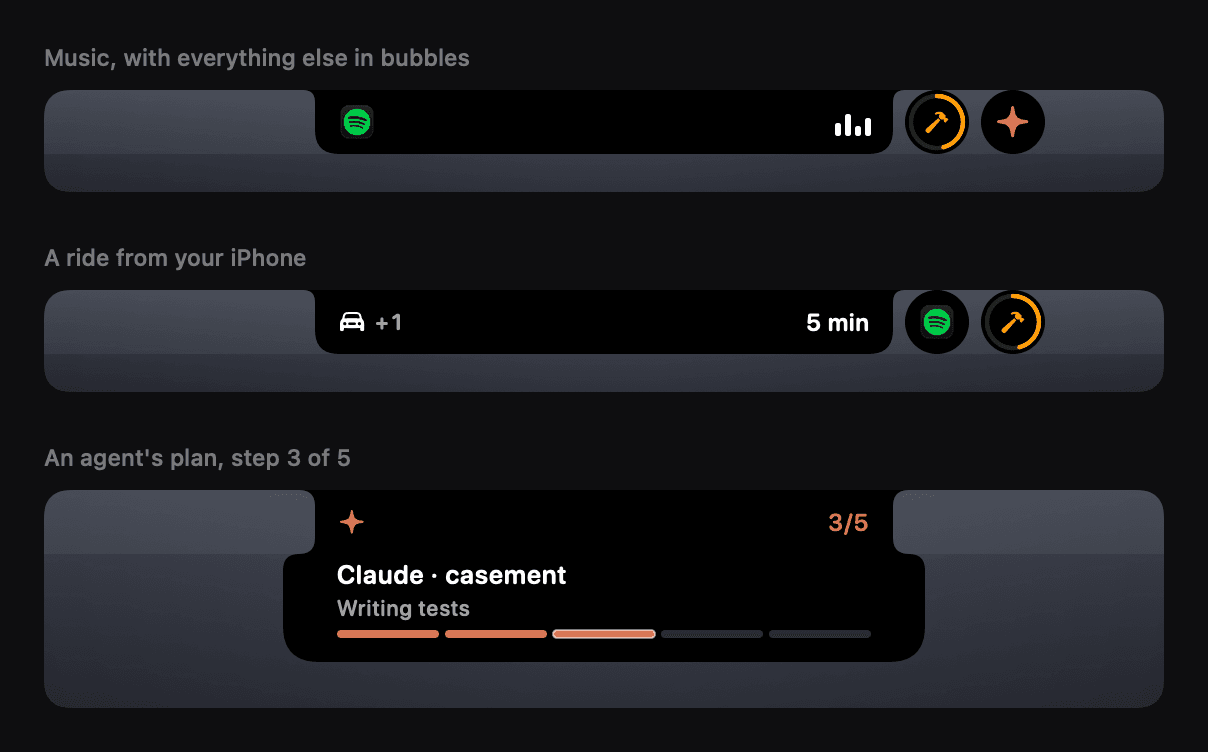
With Accessibility it measures the bar and shrinks to the space that is free, so it covers an icon only when the bar is genuinely full. Nothing hangs below the row.
It costs nothing when idle
Everything is driven by events, and the pointer is not watched until it reaches the notch. CPU is measured against a budget in ten island states on every release.
It stays on your Mac
No account, no telemetry, no analytics. The API listens on loopback and needs a token; the iPhone bridge is the one thing that goes further, and it is off until you turn it on.
Getting it
macOS 14 or laterFree and MIT licensed. Universal, so it runs on Intel and Apple silicon. Mirroring your iPhone's Live Activities needs macOS 26 or later and has only been tested on macOS 27; everything else needs macOS 14. The build is not notarised by Apple, so macOS blocks the first launch: open it once from System Settings, Privacy and Security, Open Anyway. The readme has the four steps.